If you're evaluating a virtual staging service, don't buy on headline price alone. The better question is: can this provider consistently deliver listing-ready images on your timeline without surprise revision or compliance risk?
This checklist gives you a practical buying framework you can use in 15 minutes per vendor.
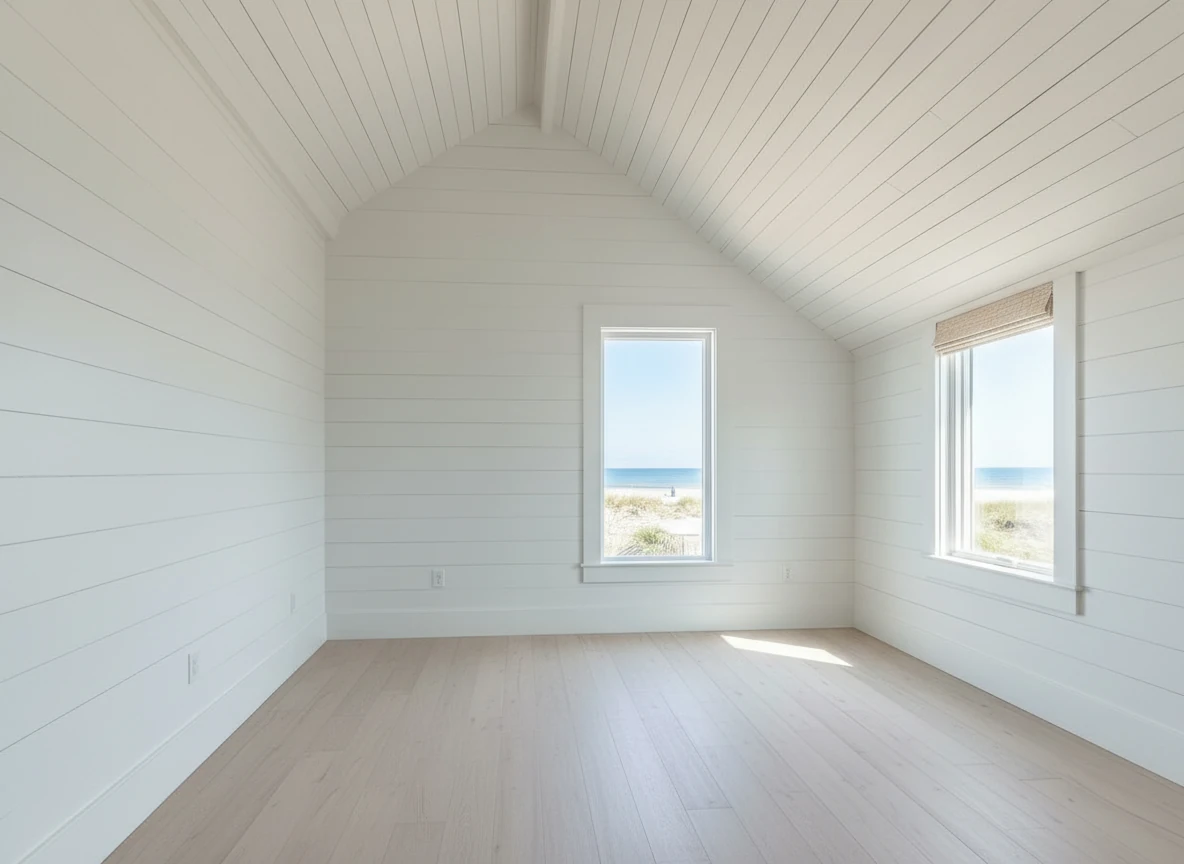
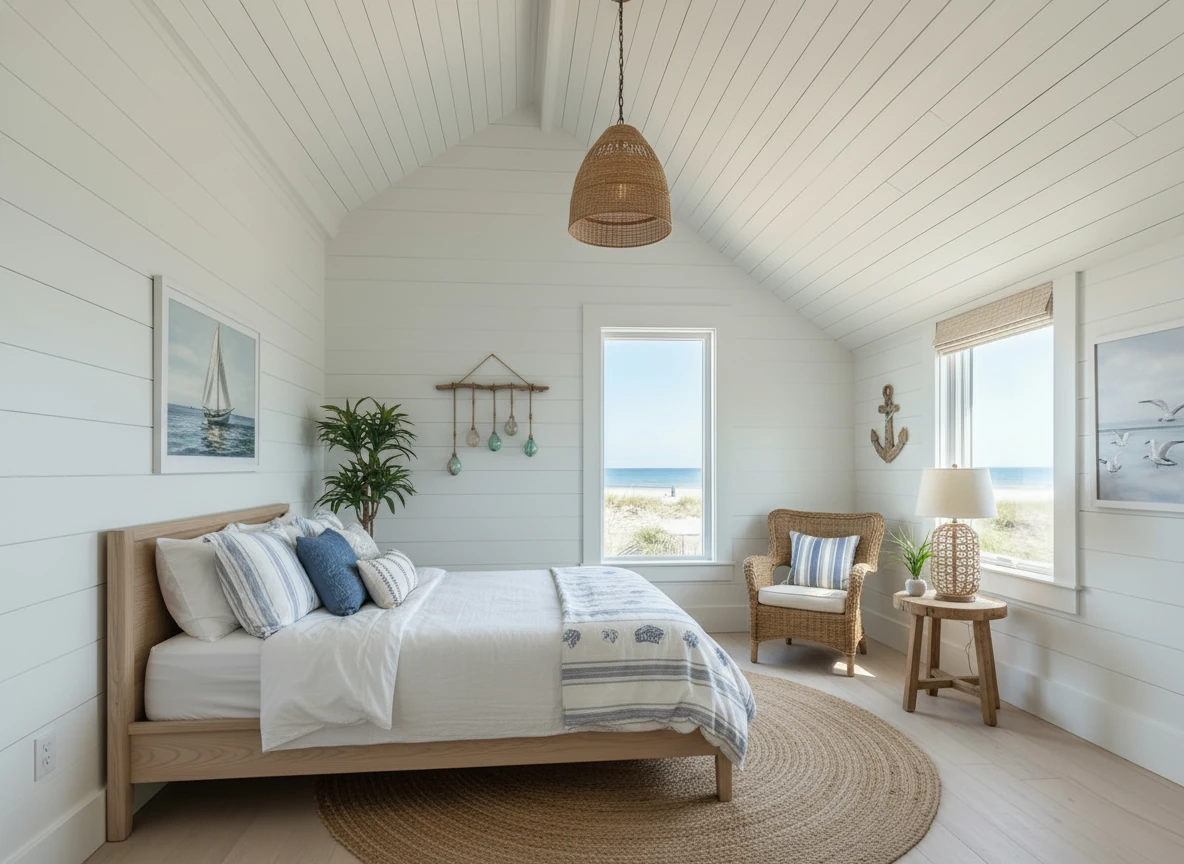
Create a photo of the same bedroom, virtually staged in a Coastal style. Include a light wood bed frame against the wall on the left, white and blue bedding, a jute rug under, and nautical-themed decor. A chair against the corner to the right. Some paintings on the wall, and a 1-2 green plants around the room, and a ceiling light in the middle of the room
Quick checklist (must-pass before purchase)
Use this as your pre-purchase scorecard:
| Category | What to check | Minimum acceptable standard |
|---|---|---|
| Output realism | Furniture scale, lighting direction, edge artifacts | Looks natural at full-screen and mobile thumbnail |
| Turnaround SLA | First draft and revision timeline | Same day or clearly documented SLA |
| Revision policy | Free vs paid revisions, iteration limits | At least 1 included round, clear limits |
| Pricing model | Per-image, credits, subscription, add-ons | Transparent all-in estimate before checkout |
| Licensing & usage | MLS, portal, social, paid ads usage rights | Commercial usage rights clearly documented |
| Disclosure support | “Virtually staged” labeling guidance | Clear MLS-safe disclosure workflow |
| Room/style coverage | Room types and style consistency | Supports your core room mix and buyer profile |
| Support path | Response channel and escalation speed | Live support or reliable same-day response |
If a vendor cannot answer 2+ rows above clearly, treat that as a risk signal.
What to prepare before you start shopping
Most bad staging outcomes start with bad inputs, not bad tools.
1) Photo quality baseline
Prepare photos that meet these standards:
- Horizontal, level framing (avoid extreme wide-angle distortion)
- Bright ambient light and visible window details
- Decluttered surfaces where possible
- One strong hero angle per room, plus one backup angle
2) Room priority list
If budget is limited, stage in this order first:
- Living room
- Primary bedroom
- Kitchen/dining open area
- Secondary bedrooms
3) Style decision before upload
Pick one style direction for the full listing unless there's a clear reason to vary. Style consistency improves trust and reduces rework.
Questions to ask every provider before paying
Pricing and scope
- What's the real effective cost per listing at my volume (not just per image)?
- Which services are extra (item removal, day-to-dusk, enhancement)?
- Are rush fees or file-export fees possible?
Delivery and revisions
- Typical first-pass turnaround time?
- How many revisions are included?
- Are revisions manual or regenerate-only?
- Is there a quality fallback if output fails first pass?
Compliance and legal
- Can I use outputs in MLS, Zillow, Realtor.com, and paid social?
- Who owns the final image rights?
- Is there guidance/template text for virtual-staging disclosure?
Operational fit
- Can the vendor process multiple rooms quickly for one listing launch?
- Can I maintain style consistency across all rooms?
- Is support available during listing crunch windows?
Quality review rubric for delivered images
Before approving final assets, run this quick QA pass:
Visual realism checks
- Scale: Sofa/table sizes match room depth
- Lighting: Shadows and highlights follow existing light direction
- Edges: No blurred furniture boundaries, floor bleeding, or warped lines
- Room function: Layout leaves believable walking paths
Listing readiness checks
- Image resolution is high enough for MLS and portals
- Files are named and grouped by room clearly
- Disclosure language is prepared for every virtually staged photo
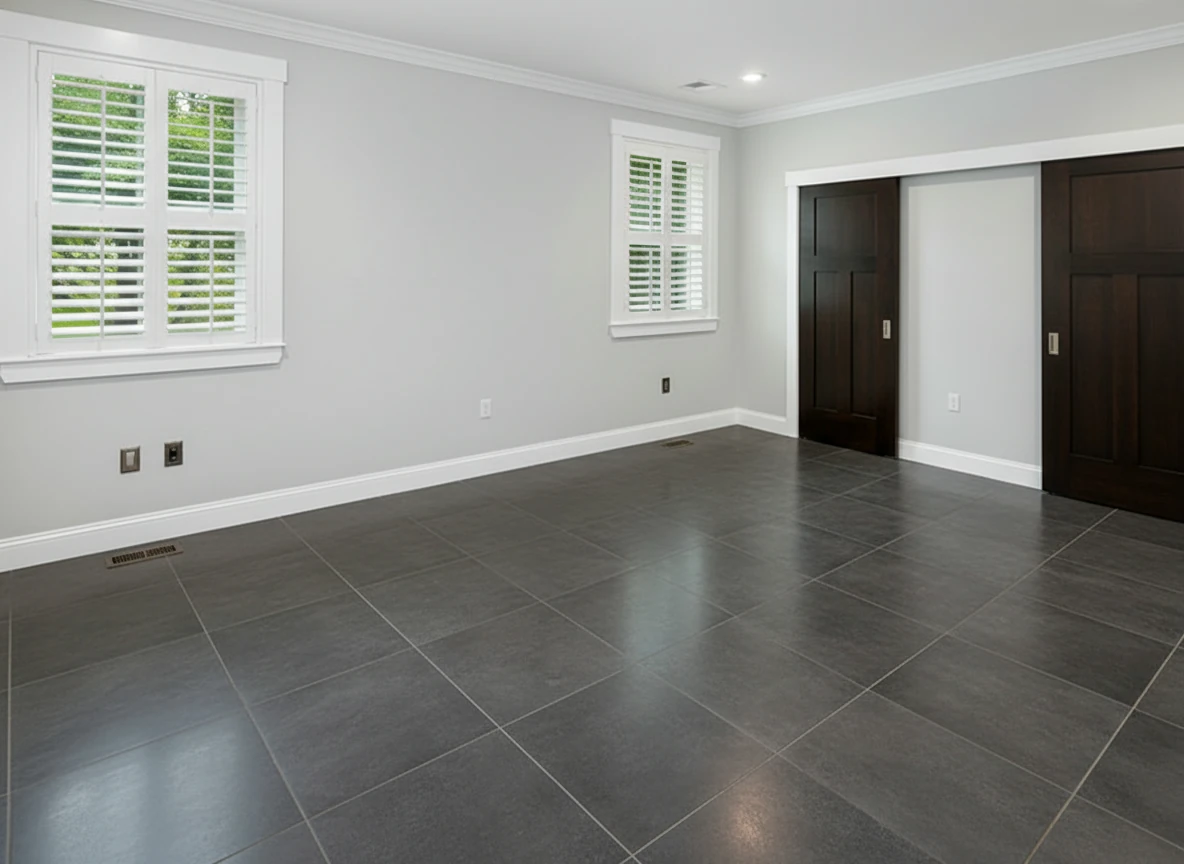
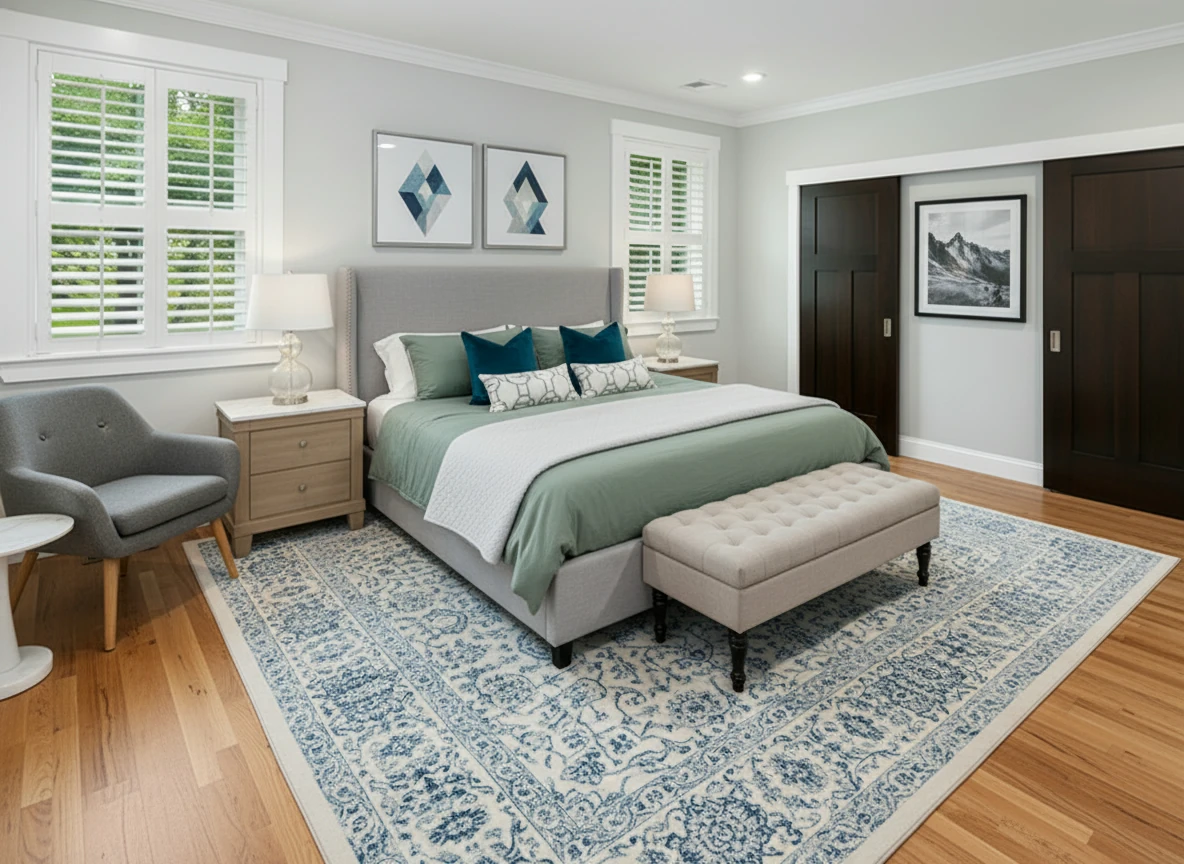
Furnish the bedroom with a soft gray upholstered bed centered on a patterned blue-and-white rug, dressed in sage bedding, two dark teal accent pillows, and geometric white bolster pillows. Add matching light oak nightstands with white tops and glass-base lamps on each side. Place a tufted beige bench at the foot of the bed. Include a gray lounge chair with wooden legs and a white round side table in the left corner. Hang two geometric art prints above the headboard and one black-and-white mountain print on the right wall. Keep light gray walls, white trim, and natural wood flooring for a bright, calm atmosphere.
Cost and timeline expectations (practical ranges)
These are operational planning ranges, not guaranteed quotes:
| Listing profile | Typical staged photos | Time expectation | Cost expectation |
|---|---|---|---|
| 2-bedroom condo | 5-8 | Same day | Low to moderate |
| 3-bedroom home | 8-12 | Same day to 24h | Moderate |
| Larger/luxury listing | 12-20 | 24h+ depending on revision depth | Moderate to high |
Use a pilot batch first, then scale.
Red flags that usually cost you time later
- "Unlimited revisions" with no SLA clarification
- No written statement on commercial usage rights
- No clear disclosure guidance for virtually staged photos
- Pricing that appears low until add-ons are included
- No quality threshold or acceptance criteria
15-minute vendor test workflow
- Submit one living room photo and one bedroom photo.
- Request one restyle revision on each room.
- Time both first-pass and revised delivery.
- Score outputs using the realism rubric above.
- Compare total cost for your average listing size.
Pick the provider with the best quality × turnaround × predictability fit for your pipeline.
CTA: run one listing pilot this week
Before committing to a larger plan, test one active listing through this checklist and compare outcomes side by side. If the provider passes quality, speed, and compliance checks, scaling is straightforward.
For a conversion-ready benchmark workflow, start here: Virtual Staging Service.
FAQ
What's the biggest mistake when buying virtual staging services?
Comparing only per-image price while ignoring revision policy, turnaround reliability, and usage rights.
How many photos should I stage for a typical listing?
For most listings, start with 5-12 photos focused on core buyer-decision rooms.
Should I choose AI-only or designer-led staging?
Choose based on your operational need: AI-first is usually better for speed and iteration; designer-led can help for highly bespoke luxury scenarios.
Do I need to disclose virtually staged photos?
Yes. Most MLS ecosystems require clear disclosure. Prepare caption templates before publishing.
Can I use different styles in different rooms?
You can, but consistency usually performs better unless the home clearly supports mixed design narratives.