Free Image Resizer & Photo Compressor for MLS Listings
Resize images and compress photos to meet MLS photo requirements instantly. Perfect for real estate MLS listings, social media, and web use. Process up to 20 images at once - no upload required, your images never leave your device.
Click to select images or drag and drop
JPG, PNG, WebP (Max 20 files)
How to Use
- 1Upload up to 20 images by clicking the upload area or dragging files
- 2Choose your resize mode (long edge, width, or height)
- 3Adjust target size and quality settings to meet MLS requirements
- 4Click "Process Images" and download individually or as a ZIP file
MLS Photo Requirements & Specifications
- •MLS Photo Size - Minimum: Usually 100-1024px on the long edge
- •MLS Photo Size - Maximum: Typically 2048-4000px on the long edge
- •MLS Image File Size: Often limited to 5-10MB per image
- •MLS Photo Format: JPG/JPEG is most commonly accepted
- •MLS Photo Dimensions: 1920x1080px works for most MLS systems
- •MLS Listing Photos: Most MLS allow 25-50 photos per listing
Note: MLS photo requirements vary by region. Always check your local MLS photo specs and guidelines for specific requirements.
Need More Than Just Resizing?
Transform empty rooms into beautifully staged spaces with AI virtual staging. Perfect for real estate agents, photographers, and interior designers.
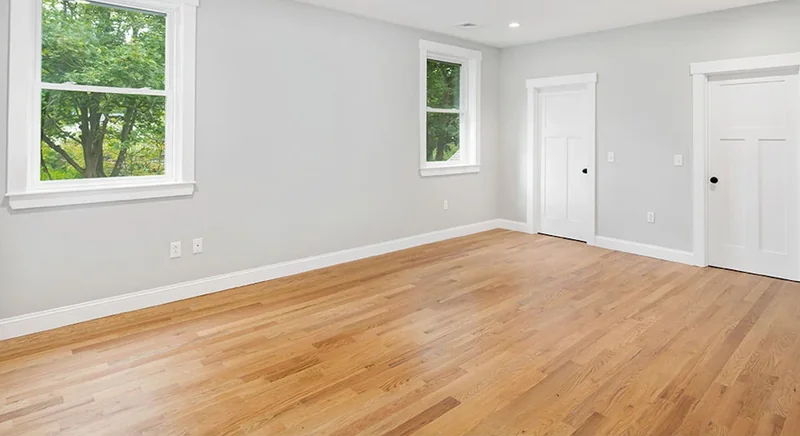
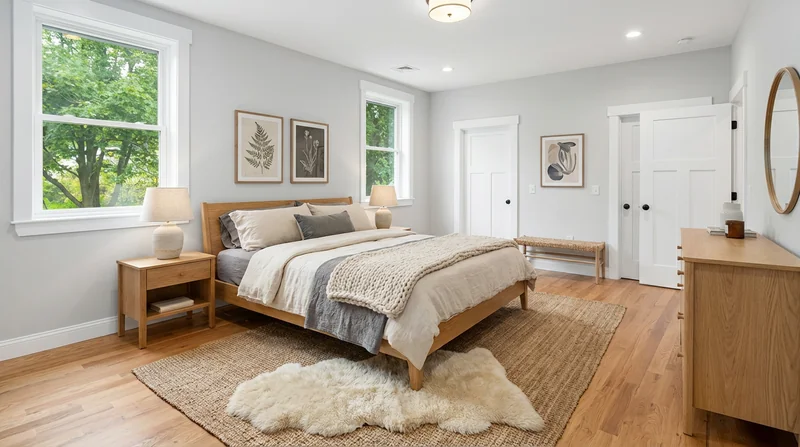
Modern Bedroom
Why Use Our Free Image Resizer & Photo Compressor?
100% Private
All processing happens in your browser. Your images never leave your device, ensuring complete privacy and security.
Batch Image Resize
Resize multiple images at once with the same settings. Process up to 20 photos simultaneously, perfect for real estate listings, social media posts, or web galleries.
MLS Compliant Photos
Compress and reduce image file size while maintaining quality. Flexible settings to meet MLS photo requirements, MLS image specifications, social media specs, or website optimization needs.
Frequently Asked Questions
Are my images uploaded to a server?
No. All image processing happens entirely in your web browser. Your images never leave your device, ensuring complete privacy.
What image formats are supported?
We support all common image formats including JPG, PNG, and WebP. The output will maintain the original format.
What are the MLS photo size requirements?
MLS photo size requirements vary by region, but most MLS systems require images between 1024-2048px on the long edge. Common MLS photo dimensions include 1920x1080px, 2048x1536px, or 1600x1200px. Our default setting of 1920px works for most MLS photo specs. Always verify your local MLS image requirements.
Can I resize images for social media?
Yes! This tool works great for resizing images for Instagram, Facebook, LinkedIn, and other social platforms. Simply adjust the target size to match your platform's recommended dimensions.
How do I resize photos for MLS listings?
To resize photos for MLS: 1) Upload your real estate photos, 2) Select "Long Edge" resize mode, 3) Set target size to match your MLS photo requirements (typically 1920px), 4) Adjust quality to 85-95%, 5) Process and download. This ensures your MLS listing photos meet all MLS image specifications.
Can I use this for commercial real estate MLS photos?
Absolutely! This tool works for residential, commercial, and industrial property photos. It's perfect for preparing images for commercial MLS listings, residential MLS photos, marketing materials, and property websites. All MLS photo requirements are supported.
How long does it take to process images?
Processing happens instantly in your browser. Most images are resized in 1-2 seconds each. The exact time depends on your device's processing power and the original image size.
Is there a limit on file size?
There's no strict file size limit, but very large files (over 50MB) may take longer to process. The tool handles most real estate photos (typically 2-20MB) quickly and efficiently.
Can I batch resize images with different settings?
Currently, all images in a batch are processed with the same settings. If you need different settings for different images, you can process them in separate batches.