BoxBrownie vs AI Virtual Staging: Full Comparison (Pricing, Speed, Examples)
If you’re comparing BoxBrownie with AI virtual staging tools like Stager Go, you’re already past the “what is virtual staging?” stage. You’re asking a sharper question:
Should I pay a higher fee to a virtual staging company, or switch to an AI workspace where I can control more of the process myself?
This article walks through that decision in plain language. We’ll cover:
- What BoxBrownie and other similar services does well, and where it fits.
- How AI virtual staging on Stager Go works differently.
- Side‑by‑side comparisons on pricing, speed, quality, and control.
- When BoxBrownie still makes sense – and when Stager Go is a better fit.
1. Quick Overview: BoxBrownie vs Stager Go
BoxBrownie in a nutshell
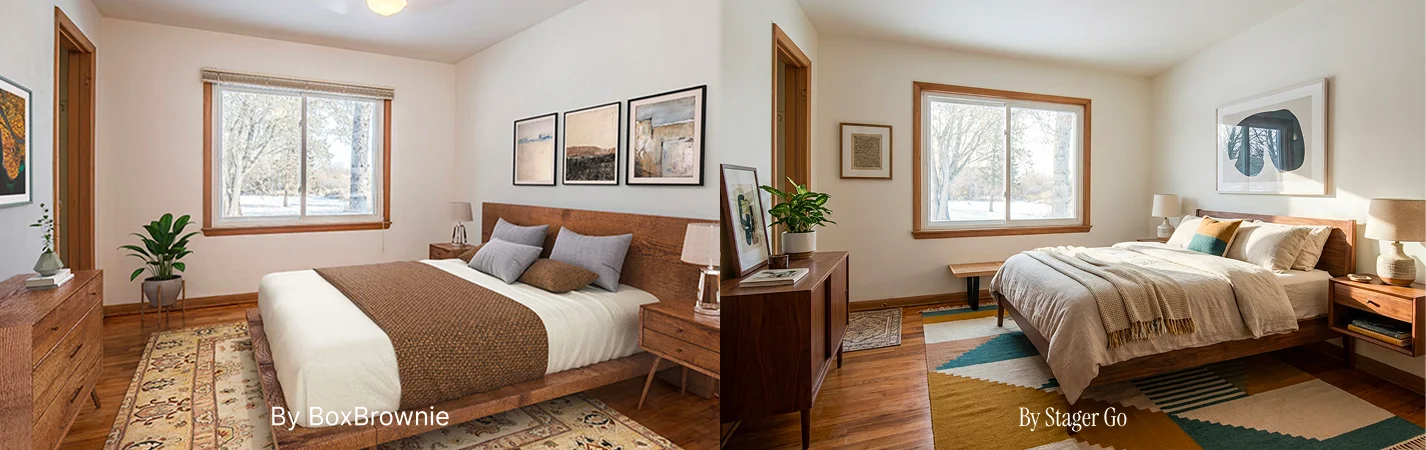
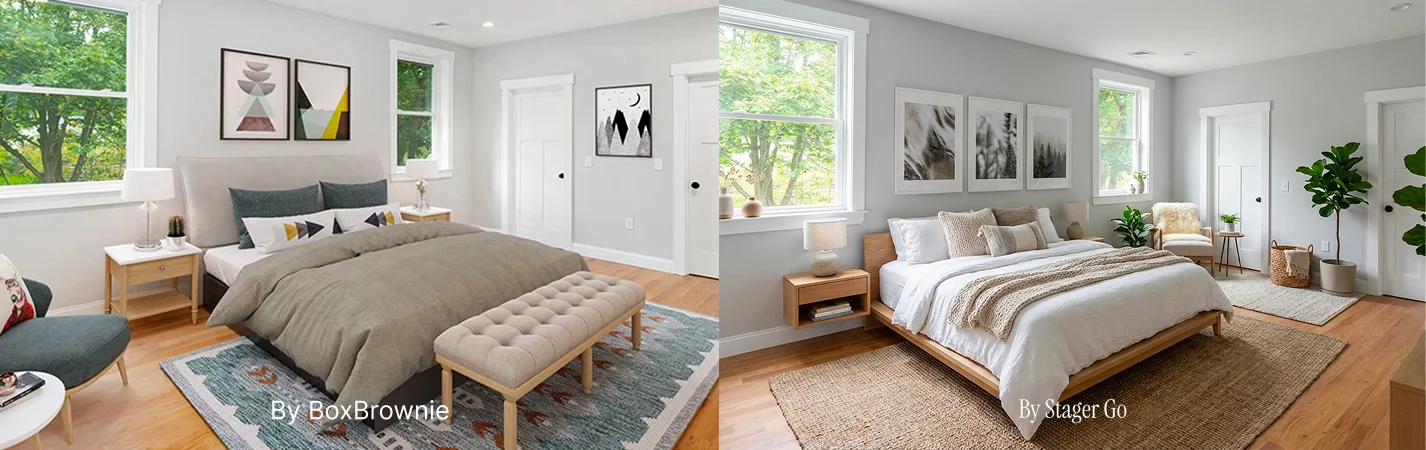
BoxBrownie is a traditional real estate editing company. You upload photos; their human editors and designers do the work. Below is an example displayed on BoxBrownie's website.
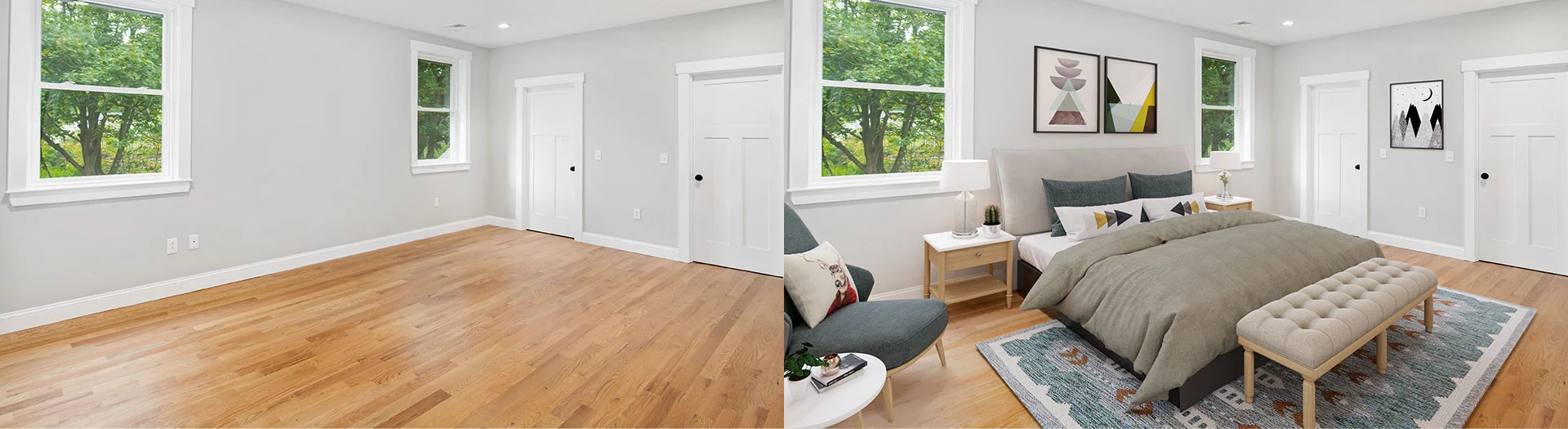
For virtual staging specifically, their own marketing highlights:
- US$30 per virtually staged image (no subscription required).
- 48‑hour standard turnaround on virtual staging jobs.
- A catalog of furniture styles to choose from.
- Human editors placing furniture, styling the room, and delivering finished JPEGs.
It’s a familiar “send it to an editing team” workflow – predictable, but built around per‑image fees and service tickets.
Stager Go’s AI virtual staging model
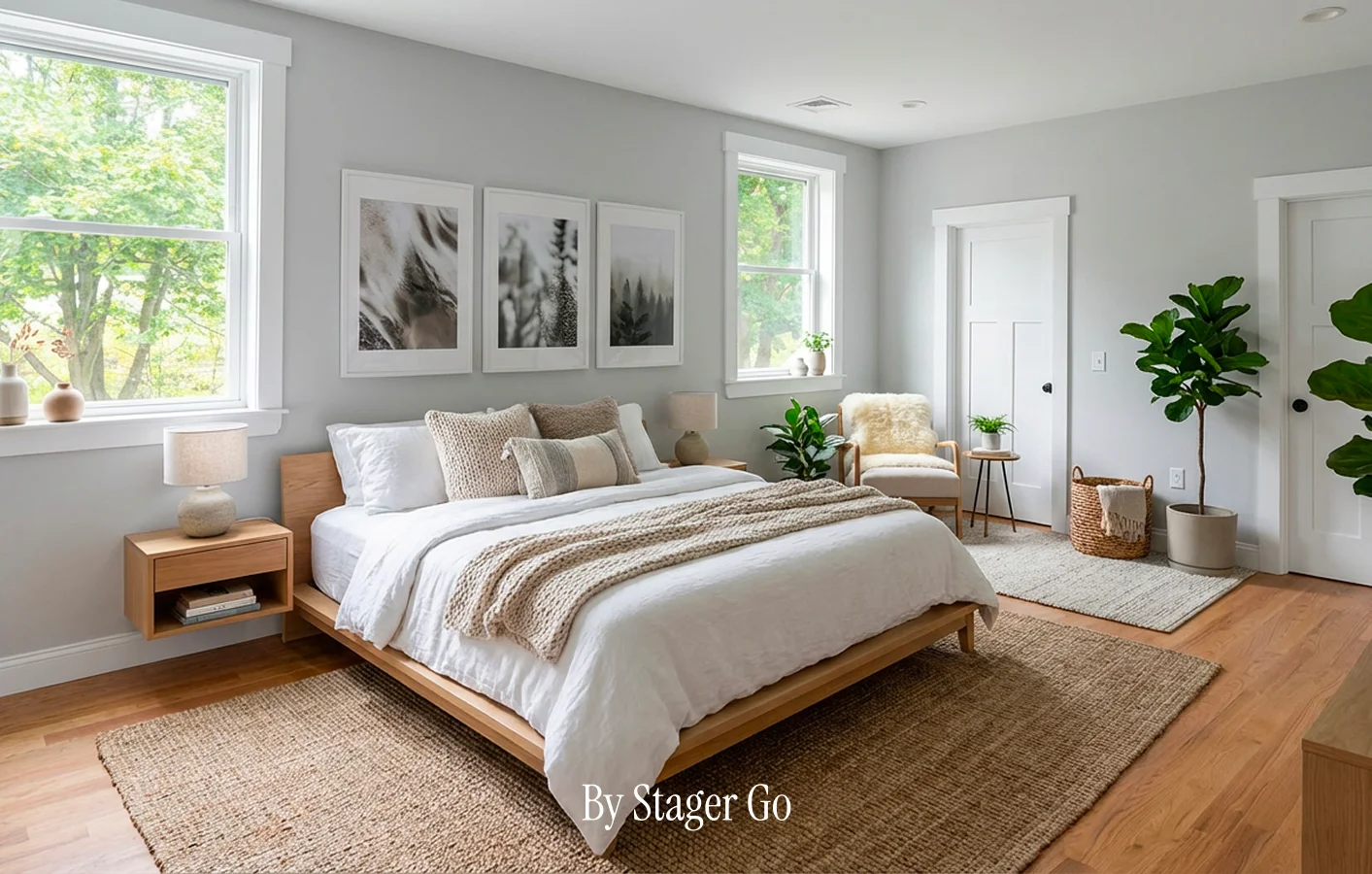
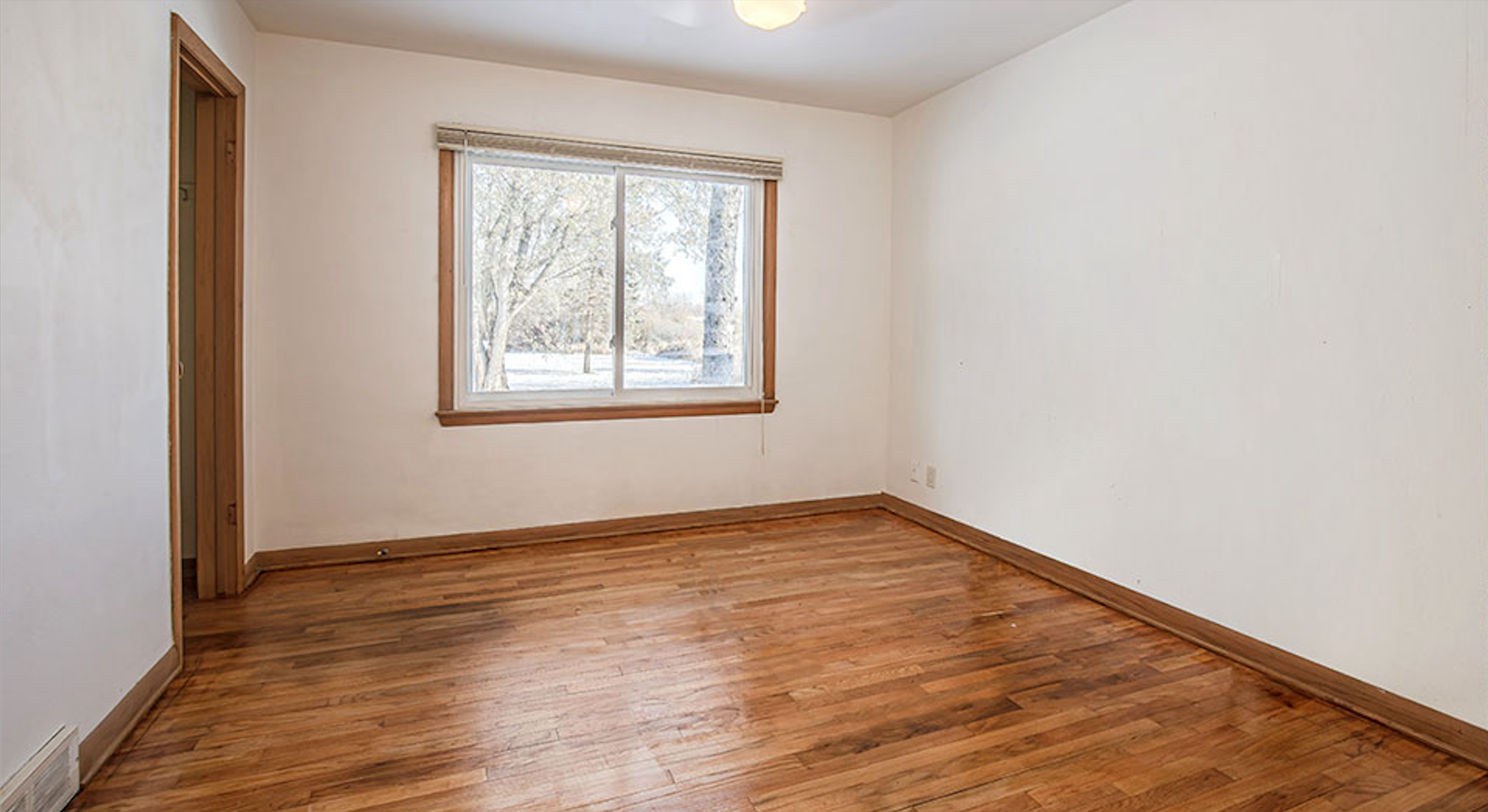
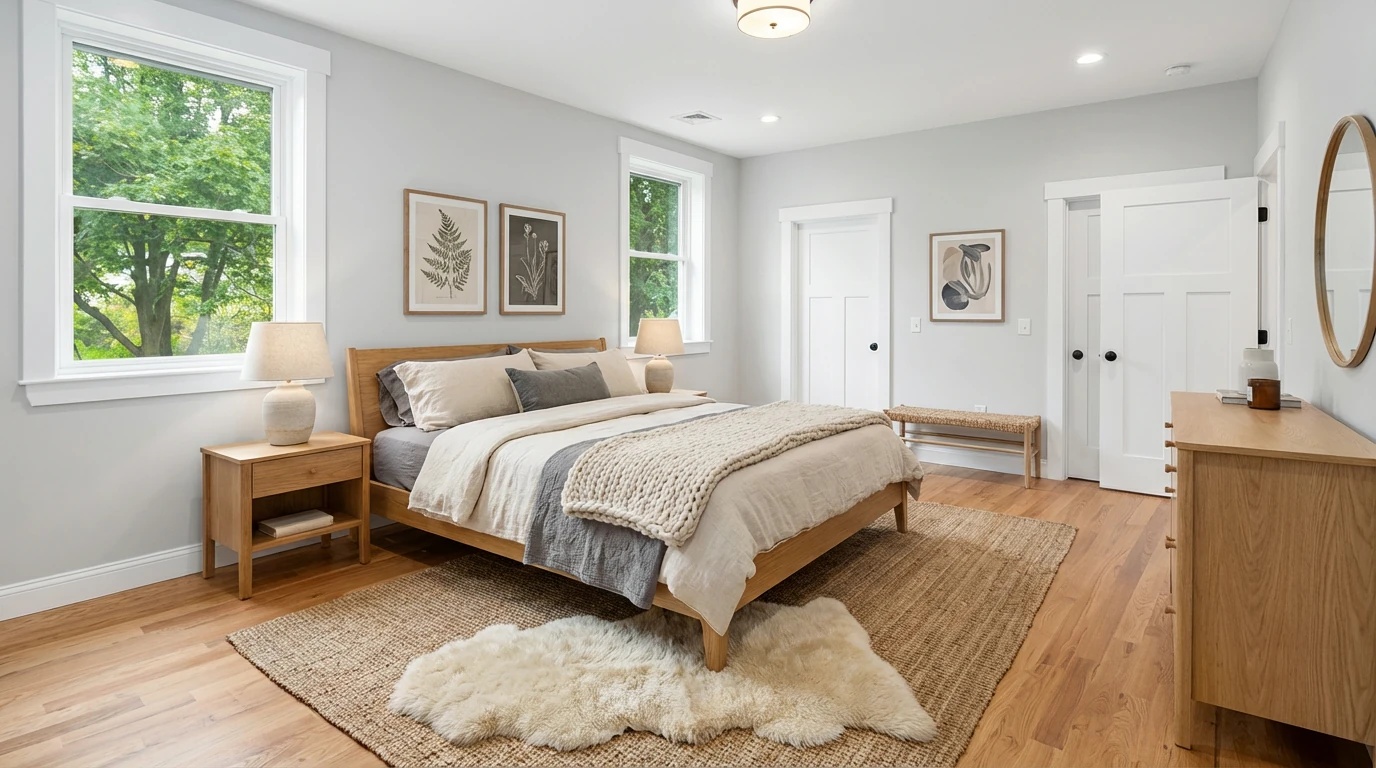
Below is an example generated on Stager Go with Scandinavian style using the same input image as the above BoxBrownie example.
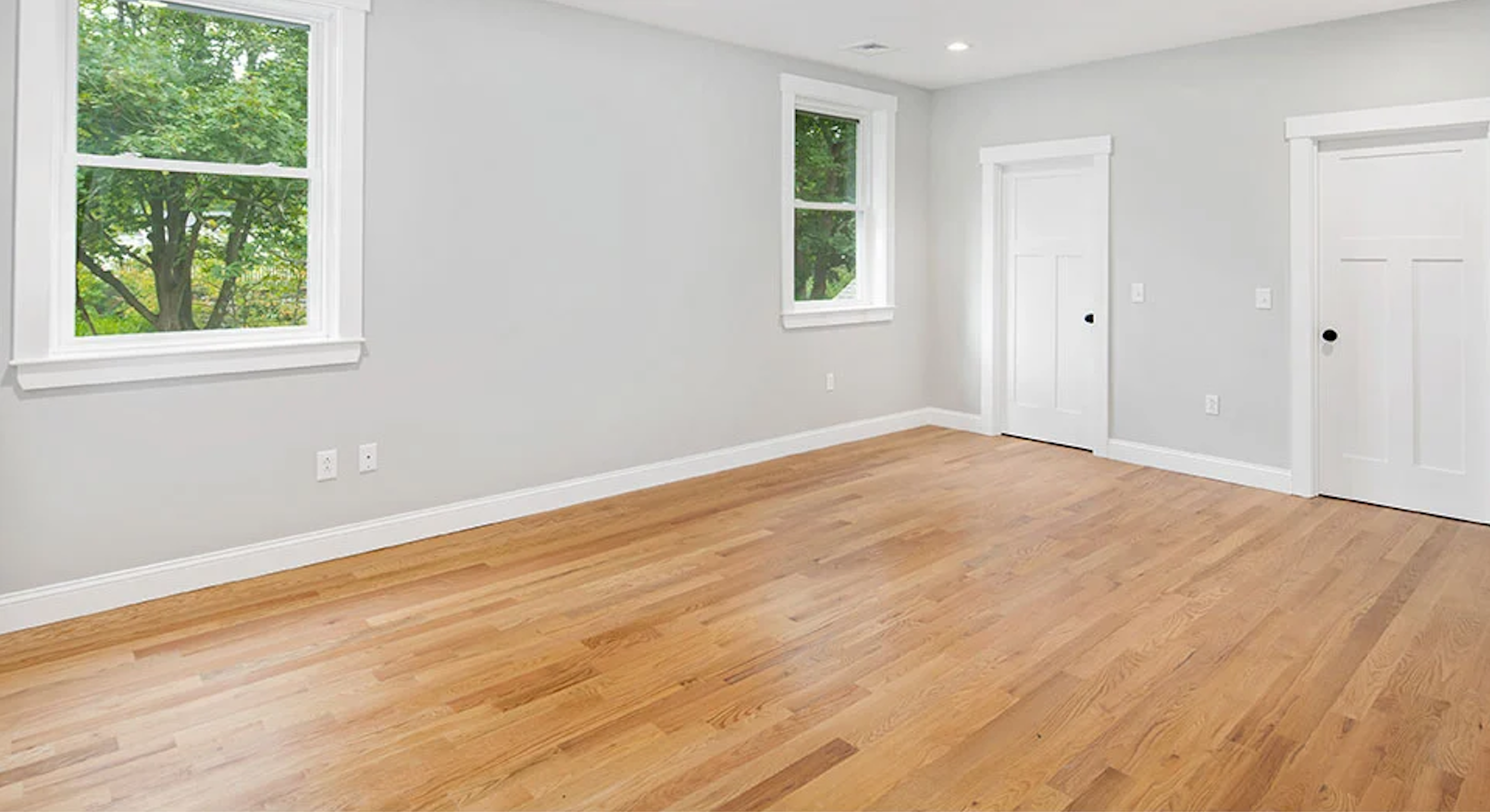
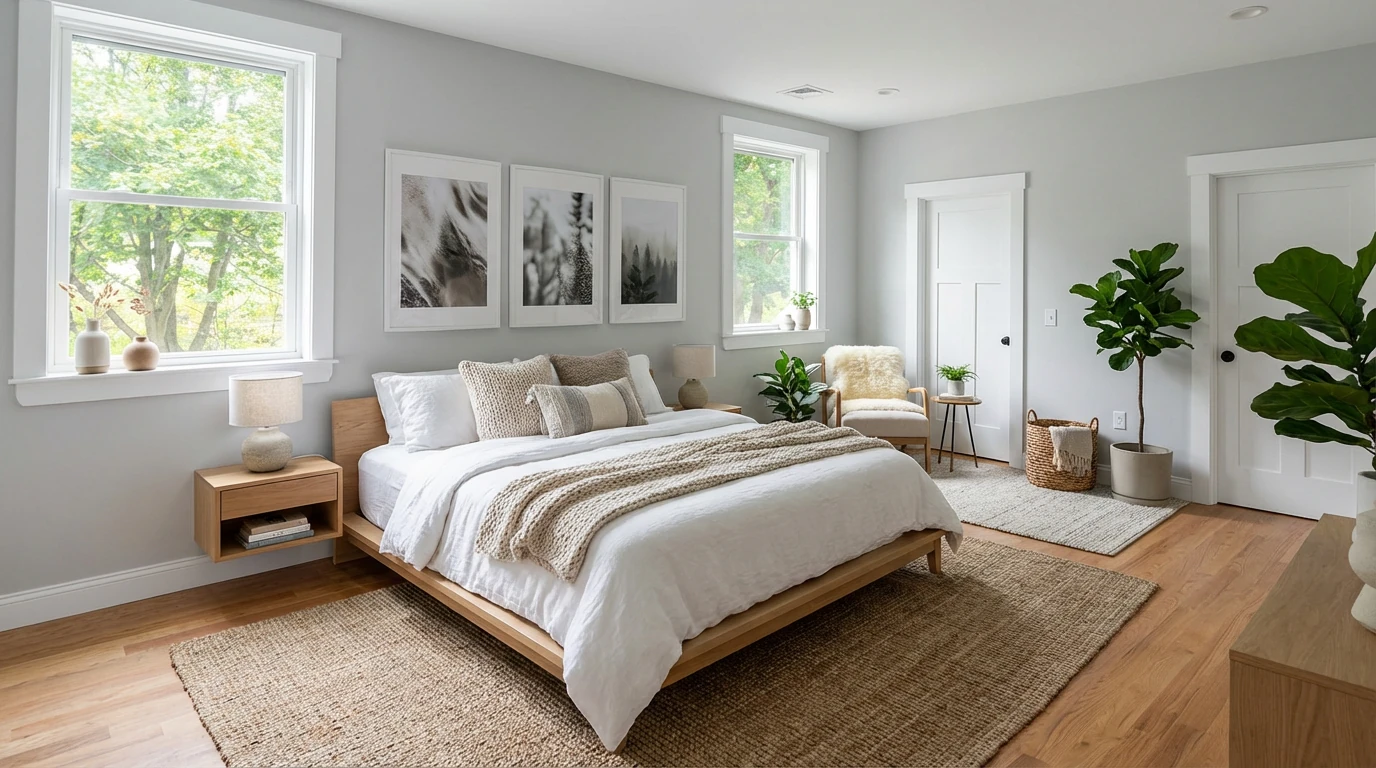
Virtual Staging • Scandinavian • Bedroom
Stager Go takes a different approach:
- You work in an AI staging workspace with a Template Composer instead of a ticket system.
- You upload your own listing photos and pick room types, styles, and modes (virtual staging, day‑to‑dusk, image enhancement, etc.).
- The AI generates staged photos in minutes, not days. 80% of the time, you get the desired result without any experiments.
- You can rapidly iterate, test multiple looks, and reuse templates across listings when needed.
Instead of paying a company every time you want a new image, you’re investing in a repeatable workflow you can run as often as you need. You can choose from a subscription or a credit pack plan depending on your usage.
2. Pricing Comparison: Per‑Image Fees vs Repeatable Workflows
BoxBrownie publishes clear per‑service prices. Stager Go focuses on an AI‑first, credit‑based model that’s designed for volume and experimentation.
Here’s how they compare at a high level:
| Aspect | BoxBrownie Virtual Staging | Stager Go AI Virtual Staging |
|---|---|---|
| Pricing model | Flat US$30 per virtually staged image. Add‑on editing (image enhancement, item removal, etc.) is a separate fee. | Usage‑based AI credits with as low as $0.05 per image and as high as $0.1 per image using templates. |
| Typical 3‑bedroom listing | 8–12 key images can easily reach US$240–US$360+ just for virtual staging, plus any enhancement or item‑removal costs. | One listing can generate multiple rooms and style variations from the same credit pack costing about $1-$2. |
| Revisions / variations | "Unlimited changes" is advertised, but every change still requires a new request and waiting for the team to respond. | You can regenerate, tweak templates, or try different styles on the same room in minutes without opening new jobs or tickets. |
| Bundling other edits | Image enhancement, day‑to‑dusk, item removal, and floor plans are all separate services with separate fees. | Virtual staging, photo enhancement, item removal, and day‑to‑dusk are built into the same AI workspace as different modes. |
If you’re staging one photo occasionally, a US$30 fee may feel fine. The moment you’re staging multiple rooms, multiple listings, or multiple styles, a per‑image agency model gets expensive fast.
Stager Go is built for that second scenario: repeatable staging at scale.
3. Speed and Turnaround Time
BoxBrownie turnaround
BoxBrownie advertises 48‑hour turnaround on virtual staging. That’s fast compared with full traditional staging, but it still means:
- You upload the photos and choose a style.
- Their editors work on the images.
- You wait ~2 days for results, then review and request changes if needed.
For time‑sensitive listings or frequent adjustments, those cycles add up.
Stager Go turnaround
Stager Go is built around real‑time AI generation:
- Upload an empty‑room photo.
- Set room type (living room, bedroom, dining room, etc.) and style preset (Scandinavian, Industrial, Luxury, etc.).
- Generate multiple variations in minutes, often while you’re still in the listing workflow.
If you don’t like the first pass, you can:
- Swap styles, adjust the template, or add instructions (e.g. "no TV", "keep window view clear").
- Regenerate instantly instead of opening a new job and waiting another 48 hours.
For agents and photographers who work against tight deadlines, this difference in speed is often the deciding factor.
4. Quality, Realism, and MLS Safety
How BoxBrownie approaches quality
Because BoxBrownie’s work is done by human editors, quality is driven by:
- Designer skill and internal QA.
- Manual attention to details like shadows, reflections, and furniture scale.
They also highlight:
- Photo‑realistic staging with scaled furniture.
- Multiple furniture styles to choose from.
For many agents, that feels reassuring – it’s a familiar outsourcing model.
How Stager Go keeps AI results realistic
Stager Go focuses on AI models tuned specifically for real estate, not generic image generators. The workspace is built to keep you within MLS‑friendly boundaries:
- Modes that keep walls, floors, doors, windows, and fixed fixtures as‑is, so you’re not misrepresenting the property.
- Virtual staging that focuses on furniture and decor, not structural changes.
- Image enhancement modes (HDR, color correction, clutter removal, sky replacement) that improve photos without faking square footage or features.
You can also visually compare:
- Before → after virtual staging.
- Different styles on the same room.
- Enhancement modes like HDR or sky replacement.
This makes it easier to keep your marketing honest while still producing scroll‑stopping photos.
5. Workflow: Ticket‑Based Service vs Template Composer
BoxBrownie: Service tickets and one‑off orders
With BoxBrownie, each batch of images is a job:
- You select a service, upload images, and submit instructions.
- Editors complete the work and send files back.
- If you want a different style or layout later, that’s a new round of edits.
This can work well if you occasionally stage a property and prefer to hand everything off. However, this may also result in compromises in quality when you run out of time or patience.
Stager Go: Template‑based AI workspace
On Stager Go, you’re not just placing orders; you’re building reusable staging templates:
- Choose room type and style preset from a composer instead of writing prompts.
- Save “go‑to” combinations (e.g. 3‑bed condo – Scandinavian, suburban family home – Cozy Neutral).
- Reapply those setups across many listings with a few clicks.
Over time, you end up with a library of templates that match your brand and your market – something that’s hard to replicate when every change has to go through a third‑party editing queue.

Virtual Staging • Mid-Century Modern • Bedroom
6. When BoxBrownie Still Makes Sense
There are cases where BoxBrownie can still be a reasonable choice:
- You rarely stage properties and don’t want to learn a new tool.
- You prefer to outsource everything to a team and are comfortable waiting for results.
- You need manual, custom Photoshop work that goes beyond virtual staging (complex retouching, architectural changes, etc.) and are willing to pay per job.
If that’s you, a per‑image service model may still feel simpler.
7. When Stager Go Is the Better Fit
Stager Go starts to dominate the equation when:
- You routinely handle multiple listings and need a repeatable staging pipeline.
- You care about testing styles and layouts quickly instead of locking into one look.
- You want control over templates without writing complex prompts.
- You’re sensitive to cost per photo across many images, not just one or two hero shots.
In practice, that looks like:
- Uploading one set of empty‑room photos.
- Generating multiple styles and room‑specific templates.
- Keeping the combinations that perform best for your market.
- Reusing those setups across the next listings without paying a new US$30 fee every time you need another image.
Virtual Staging • Scandinavian • Bedroom
8. Summary: BoxBrownie vs Stager Go at a Glance
If you’re choosing between BoxBrownie and AI virtual staging on Stager Go, you’re really choosing between two models:
- BoxBrownie – A traditional, per‑image virtual staging company with human editors, predictable 48‑hour turnaround, and clear but cumulative fees as you add more images and revisions.
- Stager Go – An AI‑first virtual staging workspace built for speed, experimentation, and reuse, where you can iterate on templates and styles across many listings.
For occasional, one‑off needs, BoxBrownie can be sufficient. But if you:
- Want faster turnaround than 48‑hour editing queues,
- Expect to stage multiple rooms and listings over time, and
- Care about building your own reusable templates and style system,
then an AI‑based workflow like Stager Go will usually give you more control, more speed, and a better effective cost per listing.
The best way to decide is to test it:
- Pick one empty listing or a few vacant rooms.
- Stage a set of photos using Stager Go’s Template Composer.
- Compare the results – both visually and in your actual listing performance – against your previous vendor or pipeline.
From there, it becomes much clearer whether you still need a per‑image virtual staging service, or whether you’re ready to own your AI staging workflow end‑to‑end.
For the full decision framework — cost scenarios by listing volume, workflow differences, and a side-by-side feature table — see our complete BoxBrownie vs AI virtual staging comparison.
FAQ
How much does BoxBrownie virtual staging cost?
BoxBrownie charges US$30 per virtually staged image, with no subscription required. Image enhancement, item removal, and day-to-dusk are separate fees, so a fully edited 3-bedroom listing (8–12 images) can reach US$240–US$360+ for staging alone.
How long does BoxBrownie take?
BoxBrownie advertises a 48-hour standard turnaround on virtual staging, plus another 24–48 hours per revision cycle. AI virtual staging on Stager Go generates results in minutes, with instant regeneration if you want to change the style.
What is the best BoxBrownie alternative for virtual staging?
For agents who stage regularly, an AI staging workspace like Stager Go is the most common alternative: it costs roughly $0.05–$0.10 per image with templates, returns results in minutes, and bundles enhancement, item removal, and day-to-dusk into the same tool.
Is AI virtual staging as good as BoxBrownie's human editors?
For the vast majority of standard real estate staging, AI results are comparable in realism — the main difference is speed and the ability to iterate instantly. BoxBrownie's human editors still have an edge on heavily customized Photoshop work and unusual requests.
Can I use both BoxBrownie and AI virtual staging?
Yes. Many agents use AI staging for the bulk of routine listings (speed and cost) and keep a service like BoxBrownie for occasional edge cases that need custom manual editing.
Related Articles and Resources
- Complete BoxBrownie vs AI comparison – Pricing scenarios, workflow, and the full feature table
- Best Virtual Staging Companies – How the leading virtual staging providers compare
- Virtual Home Staging Complete Guide – Cost, before-after examples, tools, and AI vs traditional
- Virtual Staging Cost Guide – Full pricing breakdown per photo, per listing, and per month