The Best Virtual Staging Software for Real Estate
AI-powered staging software that anyone can use. No design skills needed. Stage rooms in 30 seconds with templates or full custom control.
Template-based — just pick a style and click generate
AI-powered — results in 30 seconds, not hours
Full control — upload references for exact styling
No download — works in your browser on any device
Try the software now — upload a photo or use our sample
Virtual Staging Software Features
Everything you need to create professional staged photos — built into one easy-to-use tool
7 Staging Modes
Virtual staging, renovation, photo enhancement, day-to-dusk, item removal, floor plan rendering, and 3D renders.
- Empty room staging
- Furnished room restyling
- Outdoor/exterior staging
10+ Style Presets
Modern, Coastal, Farmhouse, Mid-Century, Scandinavian, Industrial, Luxury, Bohemian, Traditional, and more.
- One-click style selection
- Consistent results
- Market-ready looks
Custom Reference Upload
Upload Pinterest boards, magazine photos, or specific furniture images to guide the AI exactly how you want.
- Pinterest integration
- Exact furniture matching
- Brand consistency
Photo Enhancement
Fix poor lighting, color balance, and exposure before staging. Turn amateur photos into professional shots.
- HDR processing
- Auto lighting fix
- Lens correction
30-Second Results
AI generates staged photos in about 30 seconds. No waiting hours or days for results.
- Instant preview
- Regenerate quickly
- Batch processing
MLS-Ready Output
Photorealistic results ready for MLS, Zillow, Realtor.com, and all major listing platforms.
- High resolution
- No watermarks
- Commercial license
How the Software Works
Four simple steps to create professionally staged photos
Upload Photo
Drag and drop your room photo. Works with any quality — our AI enhances it.
Select Mode & Style
Choose staging mode (virtual staging, renovation, etc.) and pick a style preset.
Customize (Optional)
Add specific instructions or upload reference images for exact styling.
Generate & Download
Click generate and get your staged photo in 30 seconds. Download in high resolution.
Software Output Examples
Real results created with our virtual staging software
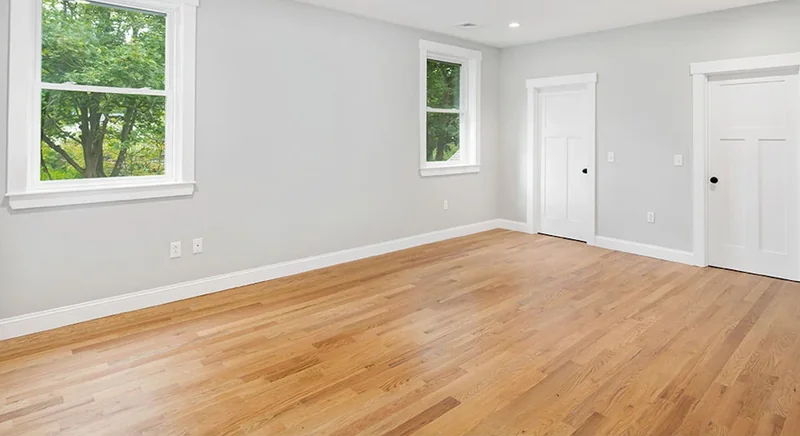
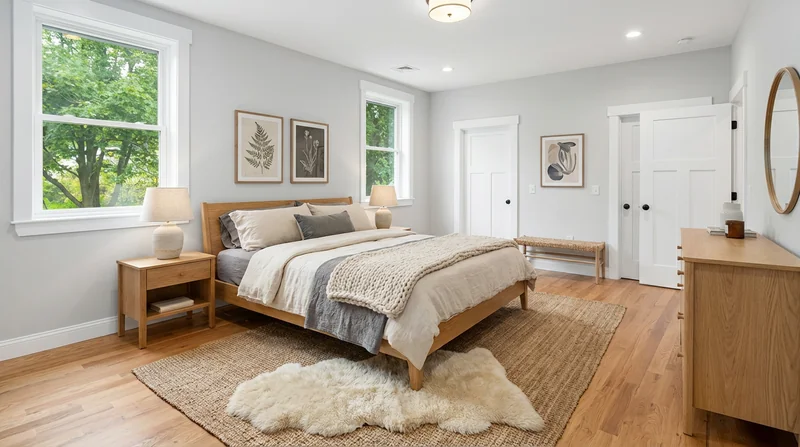
Empty Room → Staged Bedroom
Modern bedroom staging with AI-selected furniture and decor
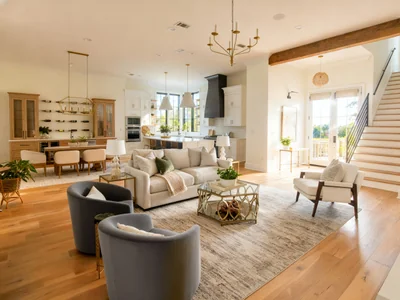
Dark Photo → Professional Quality
HDR enhancement with lighting and color correction
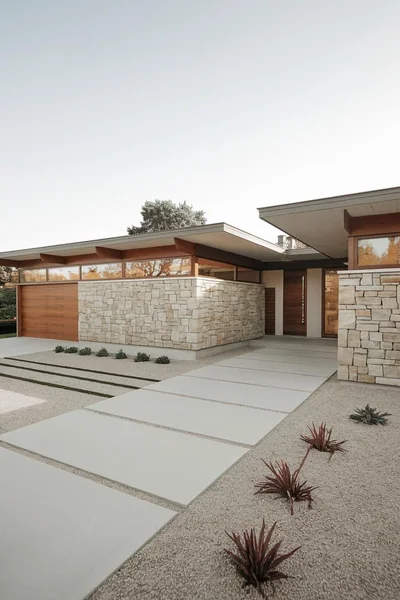
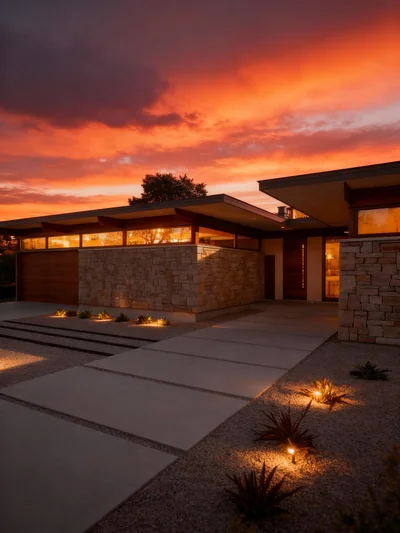
Daytime → Twilight
Exterior transformation with warm lighting and dramatic sky
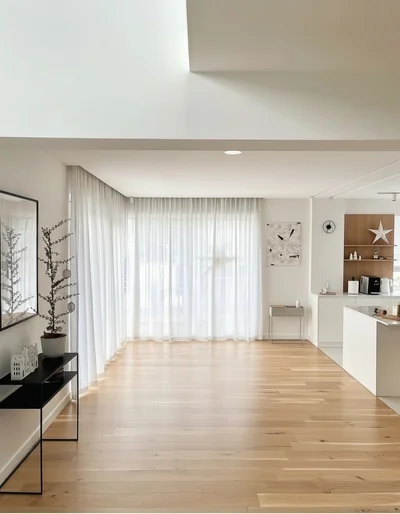
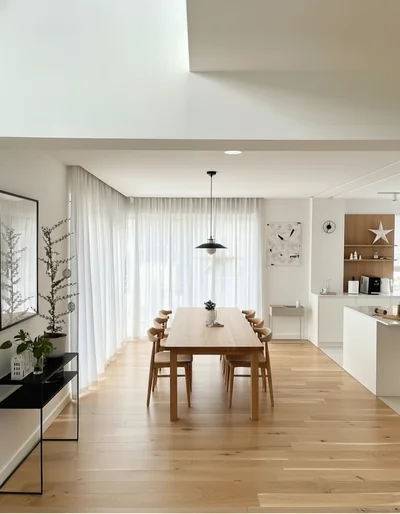
Empty → Elegant Dining
Contemporary dining room with natural oak furniture
Virtual Staging Software Comparison
| Feature | Stager Go | VirtualStagingAI | BoxBrownie | Other Tools |
|---|---|---|---|---|
| AI-powered staging | ✅ Yes | ✅ Yes | ❌ Manual | ⚪ Varies |
| Custom reference upload | ✅ Full support | ❌ No | ❌ No | ❌ No |
| Photo enhancement included | ✅ Yes | ❌ No | ✅ Extra cost | ⚪ Some |
| Speed | 30 seconds | 1-5 minutes | 24-48 hours | Varies |
| Style presets | 10+ | 5-7 | Custom only | 3-5 |
| Price per image | $0.10-0.50 | $0.53-2.67 | $4-16 | $0.25-3.00 |
| Free trial | ✅ Yes | ⚪ Limited | ❌ No | ⚪ Varies |
✅ = Yes | ❌ = No | ⚪ = Partial/Varies
Why Choose DIY Staging Software?
Control your workflow instead of waiting on outsourced services
DIY with Stager Go Software
- Instant results — stage at 2am before a listing goes live
- Unlimited revisions — regenerate until you're happy
- Full creative control — upload references, adjust styles
- No minimum orders — stage 1 room or 100
- Build internal capability — learn and improve over time
- Consistent brand look — same styles across all listings
Outsourced Staging Services
- 24-48 hour turnaround — miss urgent deadlines
- Revision limits — extra cost for changes
- Limited style input — what you get is what you get
- Per-room pricing — expensive for high volume
- Dependency on vendors — bottleneck in your workflow
- Inconsistent quality — different designers each time
Software Requirements & Compatibility
Works on any device with a modern browser — no downloads required
Desktop
Chrome, Firefox, Safari, Edge on Windows, Mac, Linux
Mobile
iOS Safari, Android Chrome — stage from anywhere
File Formats
JPG, PNG input up to 4096×4096 pixels
Security
HTTPS encrypted, secure cloud storage
Fits Your Real Estate Workflow
Stage listings at any point in your sales process
Photo Shoot
Take photos of vacant property with your phone or camera
Upload & Stage
Upload to Stager Go, select style, generate in 30 seconds
Download & List
Download staged photos, upload to MLS and listing sites
Sell Faster
Attract more buyers with professional-looking staging
Try the Best Virtual Staging Software
Upload your first photo and see why professionals choose Stager Go
Start Free TrialWhat Users Say About Our Software
"I've tried every virtual staging software out there. Stager Go is the only one that lets me upload Pinterest references for exact styling."
"The template system makes it so easy. I can stage a room in 30 seconds without any design knowledge."
"Best virtual staging software for the price. The photo enhancement alone saves me hours of editing."