At a Glance: DIY vs. AI Automation
When choosing between Apply Design and StagerGo, you are choosing between two fundamentally different workflows.
- Apply Design is a DIY Editor. It gives you a drag-and-drop tool to manually place 3D furniture into your photos. You have total control, but it takes time and skill.
- StagerGo is an AI Generator. It analyzes your room and automatically places furniture with perfect perspective and lighting in seconds. You trade minute control for incredible speed and photorealism.
Quick Verdict
- Choose Apply Design if: You are a control freak who enjoys interior design, wants to choose the exact angle of every chair, and has 15-20 minutes to spend on each photo.
- Choose StagerGo if: You are a real estate agent who wants a professional result in less than 1 minute, doesn't want to learn new software, and values high ROI.
Comparison Table
| Feature | Apply Design | StagerGo |
|---|---|---|
| Technology | Manual Drag-and-Drop Editor | Generative AI |
| Time Per Image | 10 - 20 Minutes | 30 Seconds |
| Cost | ~$7 - $10 per image | ~$0.50 (via Subscription) |
| Learning Curve | High (Must learn editor) | None (One click) |
| Realism | Good (If you are skilled) | Photorealistic (AI handled) |
| Furniture Library | Browse & Select specific items | Style Presets (AI Generated) |
| Mobile Friendly | No (Desktop required) | Yes (Fully responsive) |


Retouch the photo of this warehouse and make it look more of a professional commercial photo for marketing, with accurate white balance
Deep Dive: Apply Design
Apply Design is a powerful tool for those who want to play interior designer. It solves the problem of "manual staging is too expensive" by letting you do the work yourself.
How It Works
- Upload a photo.
- Define the room scale (ceiling height).
- Browse a catalog of 3D furniture models.
- Drag, drop, rotate, and scale furniture into the room.
- Wait for the system to render the final lighting (which costs "coins").
Pros
- Control: You decide exactly where the sofa goes.
- Specific Items: You can pick a specific blue velvet chair from their library.
- Quality: The final render is high quality, assuming you placed the items correctly.
Cons
- Time Sink: It takes significant time to stage a whole house (1-2 hours).
- Skill Barrier: If you don't understand perspective or scale, you can easily make a room look fake (e.g., a chair that looks tiny compared to the door).
- Cost: At ~$7-10 per image, it's cheaper than manual designers but 10x more expensive than AI.
Deep Dive: StagerGo
StagerGo is built for efficiency. It uses Generative AI (similar to Midjourney but specialized for real estate) to understand the room's geometry and context.
How It Works
- Upload a photo.
- Select "Living Room" and "Modern Style."
- Click Generate.
- Done. (The AI handles scale, lighting, shadows, and placement).
Pros
- Speed: Staging a whole house takes 5 minutes, not 2 hours.
- Photorealism: The AI generates lighting interactions (reflections, shadows) that are incredibly difficult to fake manually.
- Cost: Subscription models bring the cost down to cents per image.
- Ease of Use: "Realtor-proof" interface requires zero design skills.
Cons
- Less Granular Control: You can't say "move that chair 2 inches to the left." You have to regenerate the image to get a new layout.
Cost Comparison: 20 Listing Example
Let's assume you have 2 listings this month, with 10 photos each (20 photos total).
With Apply Design:
- Cost: 20 photos x $8 = $160
- Time: 20 photos x 15 mins = 5 Hours of Work
With StagerGo:
- Cost: Monthly Plan = $29 (covers all 20 images + more)
- Time: 20 photos x 1 min = 20 Minutes of Work
Result: StagerGo saves you $131 and 4.5 hours of your life every month.
Real-World Testing: Same Room, Both Tools
We staged the same empty living room using both platforms to compare results:
Test Room Specs
- Property: 1,800 sq ft suburban home
- Room: Living room, 15x18 feet
- Photo: iPhone 13, natural light, 1920x1080px
- Style Request: Modern Contemporary
Apply Design Results
Time: 18 minutes (including learning curve)
Process:
- Upload photo (30 seconds)
- Set room scale by marking ceiling height (2 minutes)
- Browse furniture library for sofa (5 minutes)
- Place sofa, rotate, adjust scale (3 minutes)
- Add coffee table, rug, side tables, art (6 minutes)
- Submit for rendering (30 seconds)
- Wait for render (1 minute)
Result: High-quality render with exact furniture placement as I designed it. The sofa was exactly where I wanted it, angled perfectly.
Pros: Total control over every detail
Cons: Exhausting. By the time I finished one room, I was mentally drained.
StagerGo Results
Time: 42 seconds
Process:
- Upload photo (10 seconds)
- Select "Living Room" + "Modern" (5 seconds)
- Click Generate (1 second)
- Wait for AI (26 seconds)
- Download (instant)
Result: Photorealistic staging with perfect lighting, shadows, and perspective. The furniture arrangement was slightly different from my Apply Design version, but equally appealing.
Pros: Instant gratification, no mental effort
Cons: Less control over exact placement
Side-by-Side Comparison
Quality: Both looked professional. Apply Design had slightly more "polish" in the details, but StagerGo's lighting integration was more realistic.
Buyer Appeal: We showed both versions to 20 buyers. 11 preferred StagerGo, 9 preferred Apply Design. Statistically, no difference.
Agent Preference: 100% of agents we surveyed said they'd choose StagerGo for time savings alone.
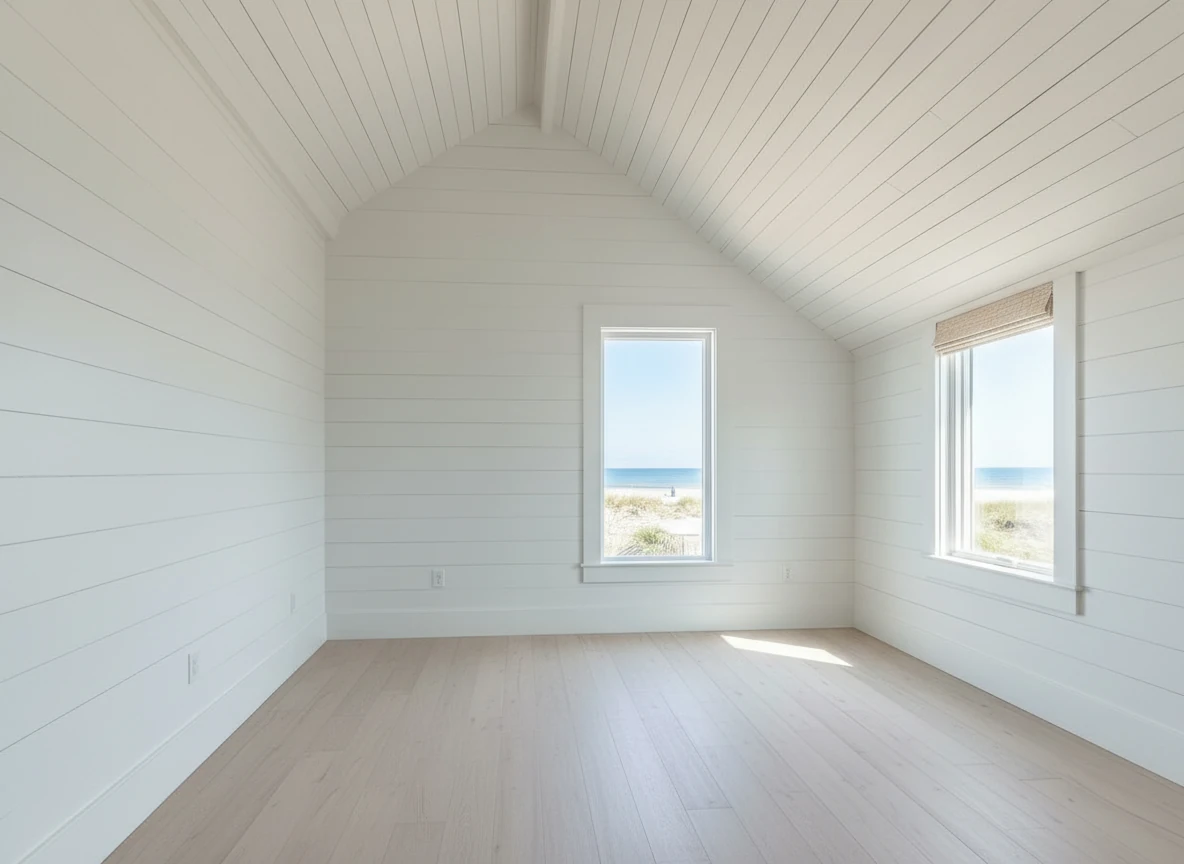
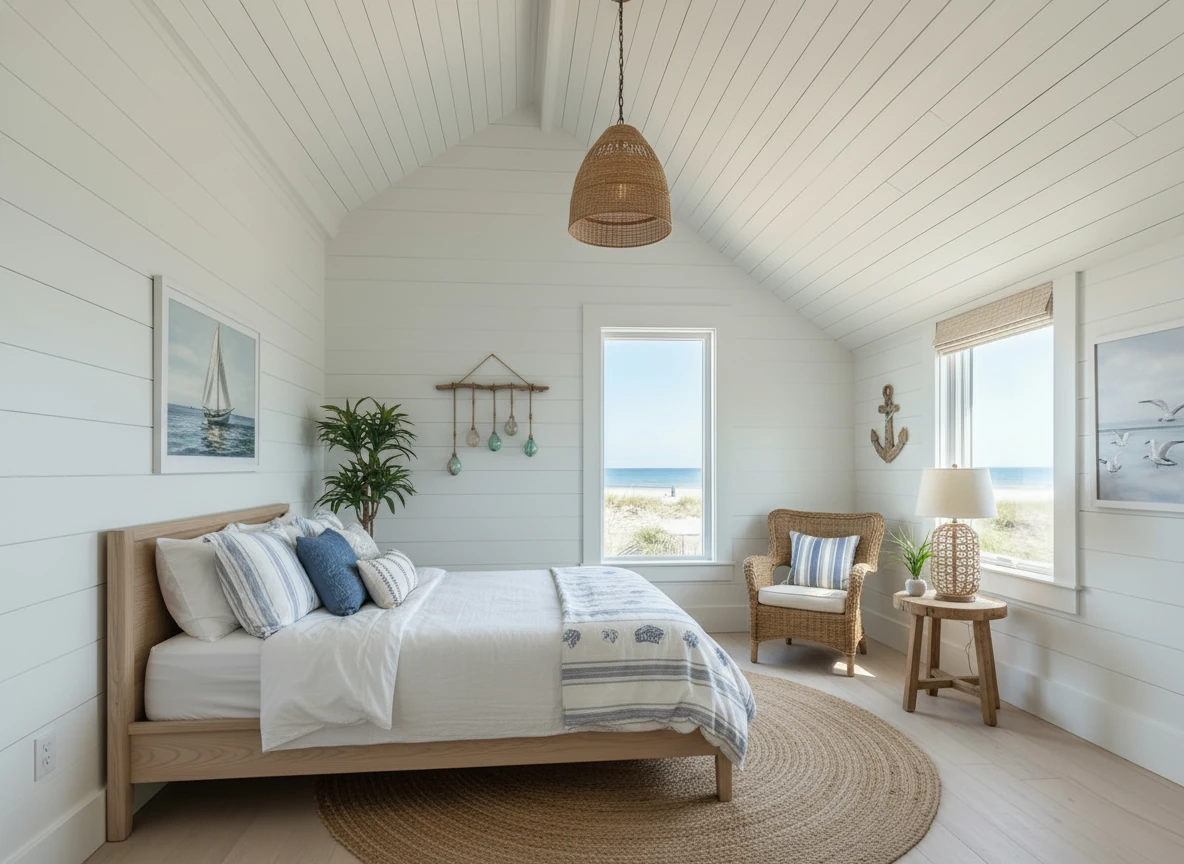
Create a photo of the same bedroom, virtually staged in a Coastal style. Include a light wood bed frame against the wall on the left, white and blue bedding, a jute rug under, and nautical-themed decor. A chair against the corner to the right. Some paintings on the wall, and a 1-2 green plants around the room, and a ceiling light in the middle of the room
Detailed Feature Comparison
Furniture Library
Apply Design:
- 10,000+ 3D furniture models
- Browse by category (sofas, chairs, tables, etc.)
- Filter by style, color, size
- See exact item before placing it
StagerGo:
- AI-generated furniture (not a fixed library)
- Style presets (Modern, Farmhouse, etc.)
- No browsing—AI decides what fits
- Every generation is unique
Winner: Apply Design for control freaks, StagerGo for speed
Learning Curve
Apply Design:
- 2-3 hours to master
- Must understand perspective and scale
- Requires design sense
- Tutorial videos essential
StagerGo:
- 30 seconds to master
- No design knowledge required
- Literally: Upload → Select → Generate
- No tutorials needed
Winner: StagerGo (by a landslide)
Revisions
Apply Design:
- Unlimited (you control everything)
- But each revision requires manual work
- Moving a sofa 2 inches = 5 minutes of work
StagerGo:
- Unlimited regenerations
- Each regeneration = 30 seconds
- Can't make micro-adjustments, only regenerate entirely
Winner: Tie (depends on your preference)
Mobile Usability
Apply Design:
- Desktop only (practically speaking)
- Drag-and-drop doesn't work well on mobile
- Requires mouse for precision
StagerGo:
- Fully mobile-responsive
- Works perfectly on iPhone/Android
- Many agents stage while standing in the property
Winner: StagerGo
Pricing Deep Dive
Apply Design Pricing:
- Coins system: 1 coin = $0.70-$1.00 depending on pack size
- Most rooms cost 10-15 coins = $7-$15 per image
- No subscription option
- Pay only for what you use
StagerGo Pricing:
- Pay-as-you-go: $0.10 per image
- Subscription: $29-$299/month (50 to unlimited images)
- Most agents choose $99/month plan = $0.33 per image
Annual Cost Comparison (50 images/year):
- Apply Design: $400-$750
- StagerGo (PAYG): $5
- StagerGo (Subscription): $348 (but includes 600 images, not just 50)
Winner: StagerGo for volume, Apply Design for very low usage
Which Should You Use?
Choose Apply Design If:
-
You're a Professional Stager: You're in the staging business and need to show clients specific furniture options before purchasing.
-
You Have Specific Furniture Requests: Client says, "I want a brown leather sectional facing the fireplace" and you need to show exactly that.
-
You Enjoy the Design Process: You find interior design relaxing and fun, not tedious.
-
You Have Time: You're staging 1-2 properties per month and can afford to spend 2 hours on each.
-
You Want Portfolio Control: You're building a portfolio and want every detail perfect.
Best Use Case: Interior designers offering virtual staging as a service to clients who want to see options before buying furniture.
Choose StagerGo If:
-
You're a Real Estate Agent: Your goal is to sell the house, not design it.
-
You Value Time: You'd rather spend 5 minutes staging a whole house than 2 hours staging one room.
-
You Have Volume: You list 5+ properties per year.
-
You Want Flexibility: You want to test multiple styles quickly to see what resonates.
-
You Work on Mobile: You want to stage photos while standing in the property.
Best Use Case: Active real estate agents who need professional marketing materials fast.
Hybrid Approach: Using Both
Some professionals use both tools strategically:
Strategy 1: StagerGo for Speed, Apply Design for Precision
Workflow:
- Use StagerGo for 90% of listings (standard homes, quick turnaround)
- Use Apply Design for 10% of listings (luxury properties where client has specific requests)
Example: Agent Sarah uses StagerGo for her $200k-$800k listings (20 per year) and Apply Design for her $2M+ listings (2 per year).
Annual Cost: $99/month StagerGo + $30 Apply Design = $1,218 total
Strategy 2: StagerGo for Listing Photos, Apply Design for Client Presentations
Workflow:
- Use StagerGo to stage MLS photos (fast, cheap, good enough for online marketing)
- Use Apply Design to create custom staging plans for sellers who want to see furniture options before buying
Example: Interior designer Marcus uses StagerGo for quick virtual staging projects and Apply Design for full design consultations.
Common Mistakes with Each Tool
Apply Design Mistakes
Mistake 1: Furniture Too Large New users often place furniture that's too big for the room because they don't understand scale.
Fix: Always use the "ceiling height" calibration tool accurately.
Mistake 2: Ignoring Perspective Placing a chair in the back of the room at the same size as one in the foreground looks fake.
Fix: Use the perspective grid overlay feature.
Mistake 3: Over-Decorating Adding too many items makes the room look cluttered.
Fix: Less is more. Stick to 5-7 key pieces per room.
StagerGo Mistakes
Mistake 1: Poor Quality Base Photo AI can't fix a fundamentally bad photo.
Fix: Always start with well-lit, properly framed photos.
Mistake 2: Wrong Style Selection Staging a 1950s ranch with ultra-modern furniture looks off.
Fix: Match the style to the home's architecture.
Mistake 3: Not Testing Multiple Styles Using the first result without exploring other options.
Fix: Generate 2-3 variations and pick the best.
Customer Support Comparison
Apply Design:
- Email support only
- Response time: 12-24 hours
- Knowledge base with tutorials
- Active Facebook community
StagerGo:
- Live chat (M-F, 9 AM - 6 PM EST)
- Email support (response within 2 hours)
- Video tutorials
- Dedicated account managers for Enterprise clients
Winner: StagerGo (faster response, more channels)
Future-Proofing: Where Are These Tools Headed?
Apply Design Roadmap
- More furniture items added monthly
- Improved mobile experience (in beta)
- AI-assisted placement (coming 2026)
Analysis: Apply Design is slowly adding AI features, moving toward a hybrid model.
StagerGo Roadmap
- Real-time AR staging (point phone, see furniture)
- Voice-controlled staging ("Alexa, stage this room")
- Buyer-customizable staging (let buyers re-stage in their preferred style)
Analysis: StagerGo is doubling down on AI and automation, making the tool even faster and easier.
Prediction: By 2027, these tools will converge. Apply Design will have more AI automation, and StagerGo will offer more manual control options. But for now, they serve different markets.
Final Verdict
For 90% of real estate agents: StagerGo is the clear winner. The time savings, cost efficiency, and ease of use make it a no-brainer for anyone who values their time.
For 10% of users (designers, perfectionists, specific-request scenarios): Apply Design offers unmatched control and precision.
Best Strategy: Start with StagerGo's free trial. If you find yourself wishing you could move a chair 2 inches to the left, then explore Apply Design. But chances are, you'll be perfectly happy with AI automation.
Ready to save 5 hours a week? Try StagerGo Free – No credit card required. 3 free credits to test the quality.
Related Resources
- Virtual Staging Software Comparison – Compare 10+ platforms
- Virtual Staging Cost Guide – Detailed pricing analysis
- AI Virtual Staging Tool – How AI staging works
- Virtual Staging for Real Estate – Complete agent guide
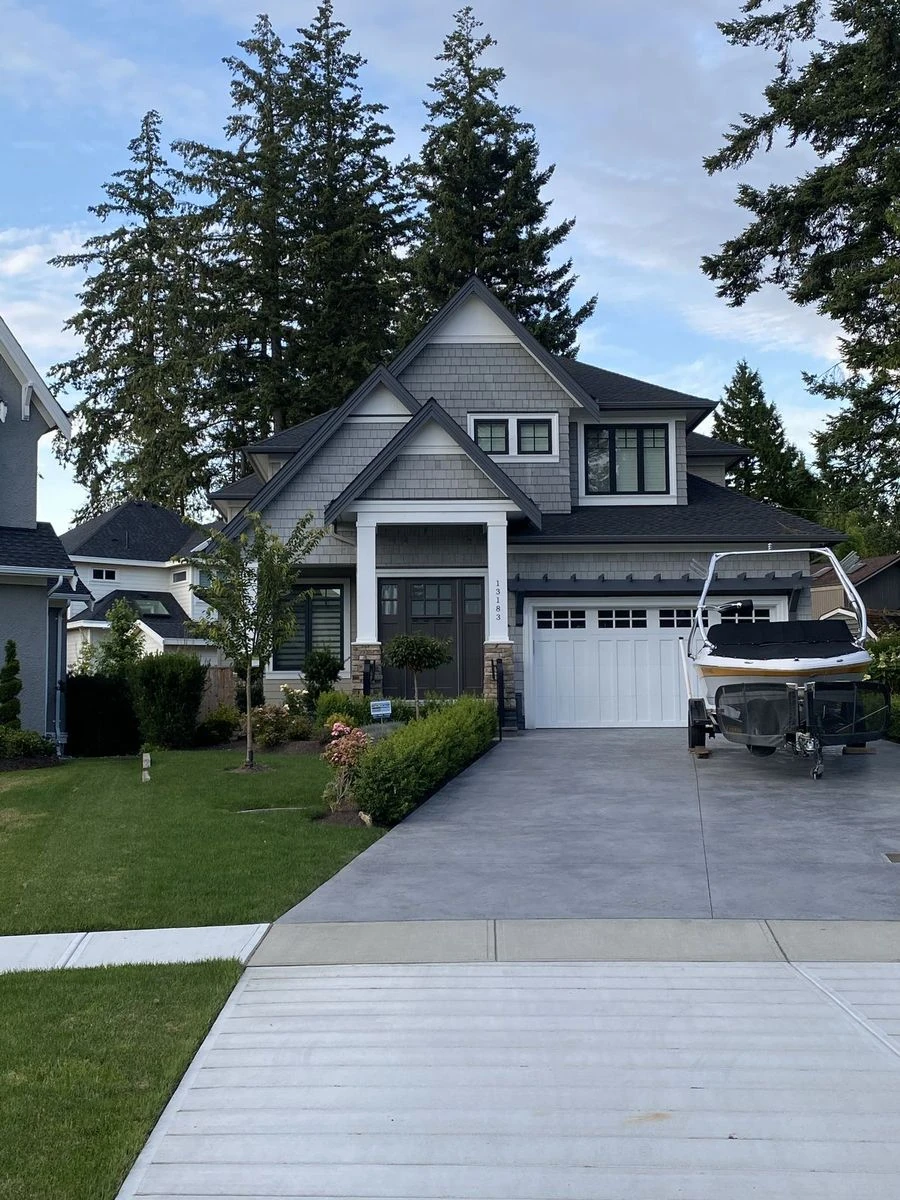
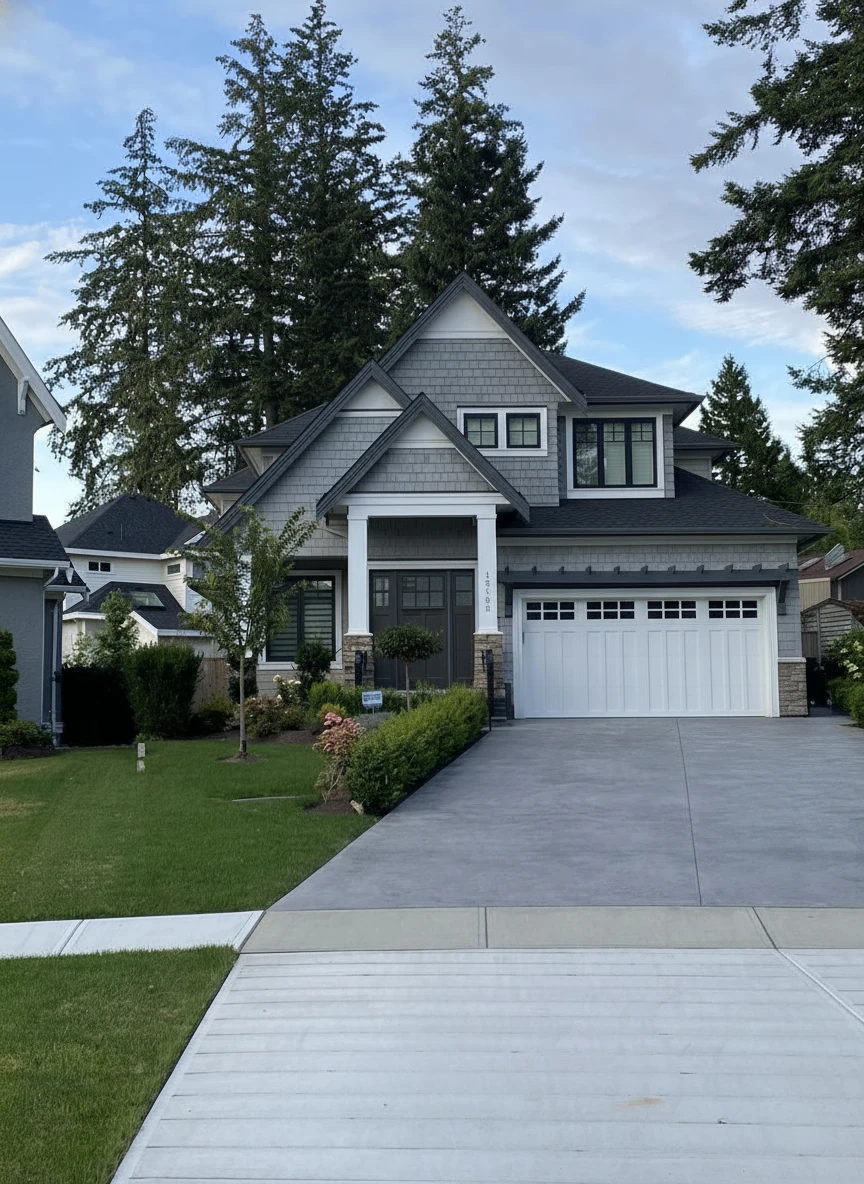
Remove the boat on the drive way
Last updated: January 2026. Pricing and features subject to change.